
5G home internet delivers broadband connectivity to your residence using cellular 5G signals instead of traditional cable, fiber, or DSL lines. A wireless receiver installed at your location communicates with nearby cell towers to provide download speeds typically ranging from 100 to 300 Mbps, with some providers reaching gigabit performance in optimal coverage areas.
For business professionals and IT decision-makers evaluating connectivity options in 2026, 5G home internet represents a practical alternative where fiber build-outs remain cost-prohibitive or unavailable. The technology bypasses trenching and infrastructure delays, delivering business-grade internet within days rather than months. T-Mobile Home Internet, Verizon 5G Home, and AT&T Internet Air have expanded their footprints significantly, covering more than 70 million households across suburban and select urban markets.
This guide explains how 5G home internet works at a technical level, surveys the current provider landscape with verified pricing and availability data, and categorizes deployment types so you can match the right solution to your operational requirements. You’ll learn which business applications benefit most from fixed wireless access, where the technology still faces limitations, and how to assess whether your location qualifies for service.
The decision between 5G home internet and traditional broadband hinges on three factors: coverage availability in your area, bandwidth consistency during peak hours, and uptime requirements for mission-critical operations. We’ll walk through each consideration with the clarity and personalized guidance Stream It’s clients expect, backed by our 24/7 support infrastructure to ensure your connectivity decision aligns with your business objectives.
What 5G Home Internet Means for Your Connectivity
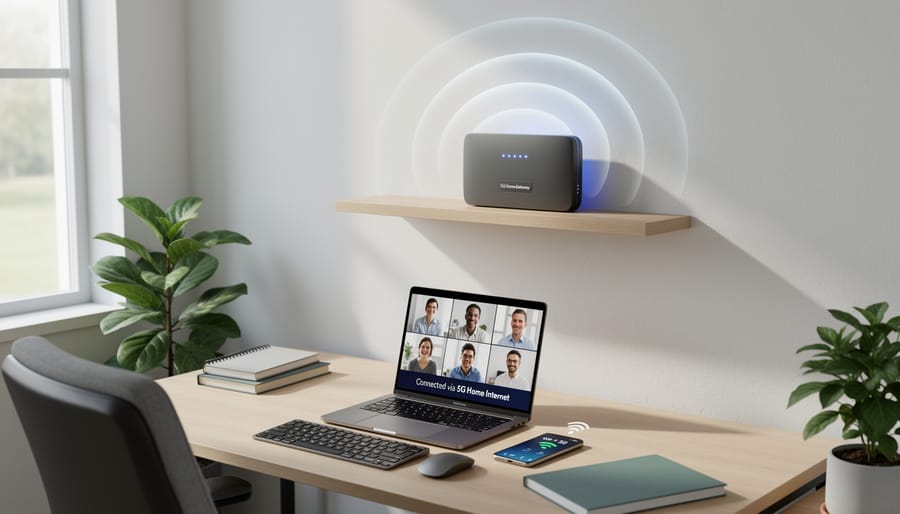
5G home internet is a fixed wireless broadband service that delivers internet connectivity to your home or office using 5G cellular technology instead of traditional cable or fiber lines. A gateway device installed at your location receives the wireless signal from nearby cell towers and converts it into Wi-Fi for your computers, phones, and other devices.
The key distinction lies in how the service is deployed. Mobile 5G powers your smartphone as you move around, constantly switching between towers. Fixed 5G home internet, by contrast, provides service to a single, stationary location with a dedicated gateway that remains in place, similar to how a cable modem works but without the physical cable connection.
- 5G technology
- The fifth generation of cellular network standards, offering significantly faster speeds and lower latency than previous generations, enabling new wireless broadband applications.
- Fixed wireless access
- A method of delivering internet service using radio signals between a fixed antenna or gateway at your location and a nearby transmission tower, eliminating the need for buried cables.
- Cellular broadband
- High-speed internet delivered over cellular networks, using the same infrastructure that powers mobile phone service to provide home or business connectivity.
- Gateway device
- A combined modem and router that receives the 5G signal from cell towers and broadcasts it as Wi-Fi throughout your location, serving as the central hub for your wireless internet connection.
Businesses and remote workers are increasingly evaluating 5G home internet for several practical reasons. It can be deployed quickly without waiting for cable installation, making it ideal for temporary offices or rapid expansion. Companies are also adopting it as a backup connection to maintain operations if their primary fiber or cable line fails. For remote employees in areas where traditional broadband is limited or unreliable, 5G home internet offers a viable alternative that can support video conferencing, cloud applications, and VPN access without the infrastructure constraints of wired services.
How 5G Home Internet Works
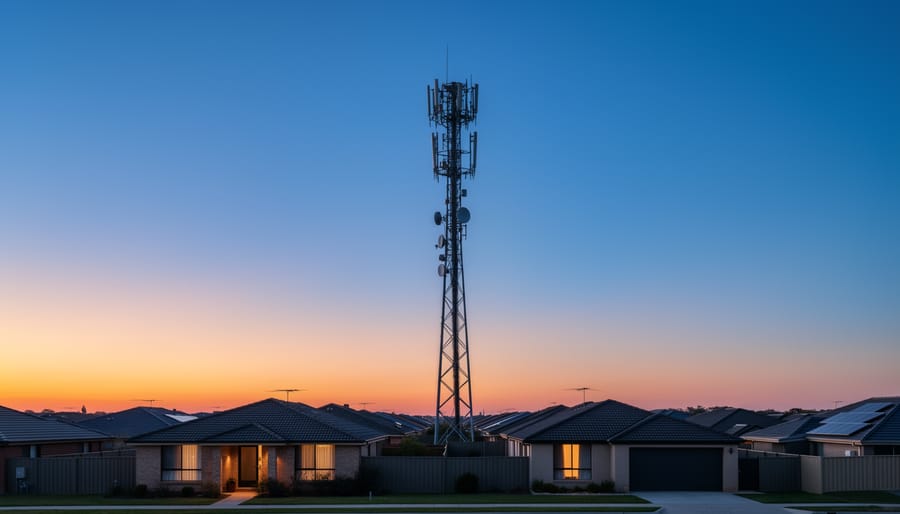
At its core, 5G home internet replaces the physical cable or fiber line running to your building with a wireless connection to nearby cellular towers. Instead of data traveling through underground or overhead cables, it moves through the air using the same 5G radio frequencies that power mobile networks, but with one key difference: your connection stays fixed at a single location rather than moving with you.
The delivery process starts at a 5G cell tower operated by your provider. These towers broadcast data signals across a service area using specific radio frequency bands. When you sign up for 5G home internet, the provider installs or ships you a wireless gateway device, essentially a specialized modem that receives the 5G signal from the tower, decodes it, and converts it into a standard internet connection your devices can use.
This gateway sits near a window or exterior wall in your location, positioned to maintain the clearest possible line of sight to the nearest tower. The device contains both a 5G cellular radio and a Wi-Fi router, creating a local wireless network for your laptops, phones, and other equipment. Some providers offer a single integrated unit; others separate the cellular gateway from the Wi-Fi router, giving IT teams more control over network configuration.
The infrastructure behind 5G home internet includes several core components:
- 5G cell tower network broadcasting data signals across the coverage area
- Wireless gateway device installed at your location to receive and decode the cellular signal
- Home or office Wi-Fi router, either integrated into the gateway or connected as a separate unit
- Cellular spectrum bands (low-band, mid-band, or high-band) determining speed and range characteristics
Location matters significantly for performance. The closer you are to a tower, the stronger your signal and the more consistent your speeds. Obstructions like buildings, hills, or dense foliage weaken the signal as it travels. High-band 5G (sometimes called millimeter wave) delivers the fastest speeds but has limited range and struggles to penetrate walls, making it less common for home internet deployments. Mid-band and low-band frequencies offer better coverage and building penetration, trading some peak speed for reliability and reach, a more practical balance for fixed wireless broadband serving business locations and remote workers.
5G Home Internet Provider Landscape in 2026
AT&T Internet Air
AT&T Internet Air entered the 5G home internet market as the newest provider option in 2026, bringing fixed wireless connectivity to 20,849 cities across the United States. For IT teams evaluating backup connectivity or small office deployment, AT&T’s pricing structure offers two tiers: $65 per month standard or $55 per month when you enroll in AutoPay and paperless billing.
The service delivers speeds between 90 and 300 Mbps, which positions it solidly in the range suitable for small office operations, video conferencing, cloud application access, and general business productivity tools. Unlike many traditional broadband contracts, AT&T Internet Air operates with no contract commitment and imposes no data caps, giving businesses flexibility to scale up or down without penalty.
For IT decision-makers, this makes AT&T Internet Air particularly viable as a failover solution. You can deploy it quickly at branch locations or remote worker sites without negotiating multi-year agreements or worrying about overage charges during high-usage periods. The no-cap structure matters when you’re running scheduled backups, hosting virtual meetings, or maintaining VPN connections throughout the business day.
The wide availability footprint means most U.S. businesses can check eligibility without assuming they fall outside the coverage zone. However, actual performance will depend on your proximity to AT&T’s 5G towers and local signal conditions, so a site survey or trial period remains essential before committing to AT&T Internet Air as a primary connection for mission-critical operations.
T-Mobile 5G Home Internet
T-Mobile 5G Home Internet stands as one of the more established players in the fixed wireless space, positioning itself as a straightforward connectivity option for businesses seeking reliable backup or primary service. At $50 per month with AutoPay, it undercuts AT&T’s offering and maintains a no-contract structure that appeals to IT teams who value flexibility in their infrastructure planning.
The service delivers internet through T-Mobile’s 5G and 4G LTE networks, which means coverage spans a broader footprint than newer entrants still building out their infrastructure. For business continuity planning, this matters: a stable provider with proven network reach reduces the risk of service gaps during critical operations. T-Mobile’s model works particularly well for small offices, remote teams, and temporary work sites where traditional broadband installation would be cost-prohibitive or time-consuming.
IT decision-makers often deploy T-Mobile 5G Home Internet as a failover connection, keeping primary fiber or cable lines active while the wireless service stands ready to maintain operations during outages. The pricing and ease of setup make it practical for multi-site deployments without the overhead of coordinating multiple ISP contracts or installation windows across locations.
Other Providers and Availability
Verizon 5G Home Internet operates in select U.S. markets, primarily urban and suburban areas with strong Ultra Wideband 5G coverage. Pricing and speeds vary by location, and availability remains concentrated where Verizon has deployed mmWave infrastructure. Regional carriers like Starry and Rise Broadband offer fixed wireless options in targeted markets, though these typically use 4G LTE or proprietary spectrum rather than full 5G technology.
Canadian businesses face notably limited choices, with only a handful of 5G home internet providers operating across the country. Availability often depends on proximity to carrier infrastructure and local regulatory factors.
Before committing to any provider, verify coverage at your specific address. Signal strength and performance degrade significantly with distance from towers or obstructions like buildings and terrain. Request a site survey or trial period to confirm the service meets your connectivity requirements, especially for business-critical applications where reliability and consistent speeds are non-negotiable.
Types of 5G Home Internet Deployment
IT teams can deploy 5G home internet in several configurations depending on business needs and existing infrastructure. Understanding these deployment models helps you evaluate where the technology fits best in your connectivity strategy.
The most common deployment scenarios include:
- Primary internet connection, Sole provider for locations where wired broadband is unavailable or cost-prohibitive
- Automatic failover backup, Secondary connection that activates when the primary link fails, maintaining business continuity
- Temporary site connectivity, Rapid deployment for pop-up offices, construction sites, or short-term locations
- Load balancing with wired connection, Hybrid setup distributing traffic across both 5G and cable/fiber links to increase total bandwidth
For primary deployment, 5G home internet works well in remote offices or locations where fiber build-out timelines stretch months. The gateway device connects to your existing router or switch, making integration straightforward. Most business-grade routers support dual-WAN configurations, allowing you to run 5G alongside a cable or DSL connection.
In failover mode, configure your network equipment to monitor the primary connection and switch traffic to the 5G link when it detects an outage. This setup requires a router with automatic failover capabilities and keeps critical systems online during ISP disruptions. Response time typically ranges from 30 to 90 seconds depending on your equipment.
Hybrid configurations let you assign specific traffic types to each connection. Route video conferencing and cloud backups through the wired link while handling web browsing and non-critical applications over 5G. This approach maximizes bandwidth utilization and provides redundancy without adding complex routing protocols. Your IT team should test performance under load to verify the configuration meets service-level requirements before deploying to production environments.
Business and IT Applications
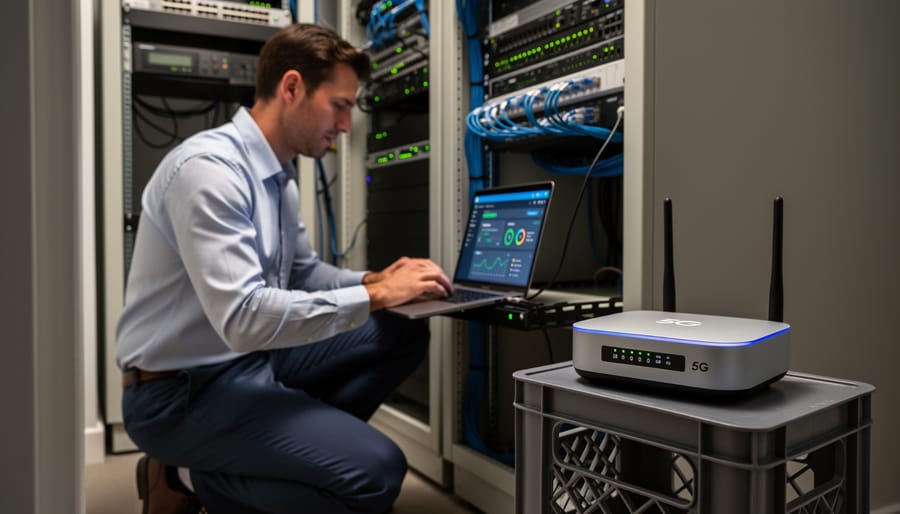
IT teams are deploying 5G home internet to solve real connectivity challenges where traditional wired infrastructure falls short. Remote workers in areas with poor cable or fiber access can maintain secure VPN connections and cloud application access without waiting weeks for installation. The technology’s plug-and-play nature means you can have an employee online within hours rather than scheduling service calls and dealing with infrastructure delays.
Branch offices and temporary locations benefit most from the rapid deployment model. A retail pop-up, construction site office, or seasonal workspace can go live immediately without trenching fiber or negotiating cable contracts. You’re not locked into long-term commitments or facing early termination fees if the location closes, which aligns with agile business operations.
Disaster recovery planning represents another strategic application. When primary circuits fail, 5G home internet provides automatic failover for critical systems. Pair it with managed network equipment that monitors connection status and routes traffic intelligently, and you maintain uptime even when your fiber link goes down. This redundancy matters for customer-facing operations where downtime directly impacts revenue.
Bandwidth augmentation works well for video conferencing or file uploads during peak hours. Rather than overprovisioning expensive dedicated circuits, you can offload specific traffic types to the 5G connection. IT teams need to evaluate integration requirements carefully: will your existing firewall handle dual WAN connections? Do your applications tolerate the latency variability inherent in wireless connections? How will you monitor performance and signal strength across distributed locations?
The value proposition changes significantly when you factor in 24/7 support from your IT provider. 5G home internet requires active monitoring because wireless performance fluctuates with tower load, weather, and interference. A provider who can troubleshoot signal issues, adjust equipment placement, and modify network configurations remotely ensures the connection serves its intended purpose rather than becoming another management headache.
Performance Considerations for IT Teams
Performance evaluating 5G home internet for business applications requires a more rigorous approach than residential use. Unlike fiber or cable connections with predictable throughput, 5G home internet performance fluctuates based on radio frequency conditions and network load, making continuous monitoring essential for IT teams managing critical operations.
Speed variability is the primary concern. While AT&T Internet Air advertises 90-300 Mbps and other providers promise similar ranges, actual throughput swings throughout the day as tower capacity is shared among users. Morning video conferences may run at 200 Mbps while evening peaks drop to 110 Mbps on the same connection. This unpredictability complicates capacity planning for bandwidth-sensitive applications like VoIP systems or cloud backup windows.
Latency adds another layer of complexity. 5G home internet typically delivers 30-50 milliseconds of latency under optimal conditions, acceptable for most business tasks but higher than the 10-20 milliseconds common with fiber. Real-time applications such as remote desktop sessions or SIP trunking may experience noticeable lag during congestion periods, requiring IT teams to test specific use cases before deployment.
Several environmental and technical factors directly impact performance reliability:
– Proximity to the nearest 5G tower determines baseline signal strength and maximum achievable speeds
– Physical obstructions including buildings, trees, and even weather conditions weaken radio signal propagation
– Network congestion during peak hours (typically 6-10 PM) can halve available bandwidth as neighbors stream and download
– Gateway device limitations may cap the number of simultaneous connections, affecting offices with many users
– Indoor gateway placement behind walls or in basements significantly degrades performance compared to window-facing or outdoor installations
To evaluate whether 5G home internet meets service-level requirements, establish a testing protocol before committing to production use. Run speed tests at multiple times across several days to map performance patterns. Monitor latency under load by running business applications during peak hours. Test failover behavior by simulating signal drops to verify backup systems engage properly. Deploy network monitoring tools that track uptime, packet loss, and throughput trends over weeks, not days.
For mission-critical connectivity, treat 5G home internet as a backup or supplementary link rather than a sole connection. The technology’s inherent variability makes guaranteed service levels difficult to achieve, but with proper testing and monitoring, it serves effectively as redundant infrastructure supporting business continuity plans.
Frequently Asked Questions
Who has the best 5G home internet in 2026?
AT&T Internet Air and T-Mobile 5G Home Internet lead the U.S. market, with AT&T offering speeds of 90-300 Mbps in 20,849 cities at $55/month with AutoPay, while T-Mobile starts at $50/month. Canada has limited options, so availability often matters more than provider features when choosing a service.
Is 5G home internet reliable enough for business use?
5G home internet works well as a backup connection or for light business applications, but reliability depends on signal strength, tower proximity, and local network congestion. For mission-critical operations, it’s best deployed alongside a wired connection rather than as your sole internet source.
Can I use 5G home internet with my existing network infrastructure?
Yes, the 5G gateway connects to your network like any other router, and you can integrate it with existing VPNs, firewalls, and managed switches. Most IT teams configure it as a secondary WAN connection for automatic failover or load balancing across multiple internet sources.
What happens if the signal drops?
Service interruptions can occur due to weather, tower maintenance, or network congestion. Businesses should implement automatic failover to a wired connection and monitor uptime with network management tools to ensure continuity during outages.
These questions reflect real concerns from IT decision-makers evaluating 5G home internet for business environments. If you’re uncertain about how to integrate wireless connectivity into your existing setup or need guidance on failover configurations, what we do at Stream It includes personalized network assessments and 24/7 support to help you build a resilient, multi-source connectivity strategy tailored to your specific operational requirements.
5G home internet has matured into a practical connectivity tool for businesses navigating the demands of 2026. It shines in scenarios where traditional wired infrastructure isn’t feasible or fast enough, providing backup redundancy for critical operations, enabling remote teams to stay productive, and supporting temporary locations without waiting weeks for cable installation. The flexibility to deploy quickly and scale as needs change makes it particularly valuable for IT teams managing distributed workforces or planning for business continuity.
However, effectiveness hinges on matching the technology to your specific environment. Signal strength, tower proximity, and local network congestion all influence whether 5G home internet will meet your service-level requirements. That’s where personalized assessment becomes essential. Stream It specializes in evaluating your connectivity needs and designing solutions that integrate seamlessly with your existing infrastructure, backed by 24/7 network support to keep your operations running smoothly.
Ready to explore whether 5G home internet fits your business? Contact Stream It today for a tailored connectivity assessment and discover how the right solution, with expert support behind it, can strengthen your network resilience and empower your team.